

Published
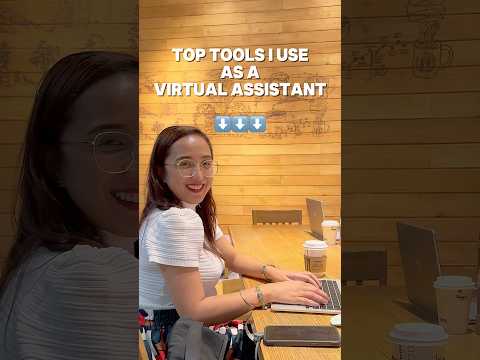
The Top Tools I Use as a Virtual Assistant (And Why They Make My Life Easier!)
Let’s be real—being a virtual assistant can get pretty overwhelming if you’re not organized. Between managing emails, scheduling calls, and staying on top of deadlines, it’s easy to feel like you’re juggling too much at once. That’s where tools and software come to the rescue!
Here are my go-to tools that make my work-life not just manageable but enjoyable:
1. Trello – For Keeping Everything in Check
Think of Trello as your digital sticky notes, but better. I use it to organize my tasks by creating boards for each client. For example, one of my clients had a hectic product launch, and Trello helped me break down the project into bite-sized to-dos. The “drag-and-drop” feature? A lifesaver for re-prioritizing tasks when things change (and they always do!).
2. Google Workspace – My Virtual Office
Google Docs, Sheets, and Calendar are my everyday staples. Need to collaborate on a report with a client? Google Docs. Keeping track of sales numbers? Google Sheets. Scheduling meetings? Google Calendar sends reminders so I never miss a beat. It’s simple, it’s free, and it just works.
3. Canva – My Creative Buddy
I’m not a graphic designer, but Canva makes me feel like one. From creating eye-catching social media posts to making professional-looking reports, this tool saves me time and stress. Once, a client needed a social media post ASAP, and Canva templates had me delivering in under 10 minutes. Crisis averted!
4. Slack – For Seamless Communication
Emails are great, but when you need quick answers or real-time updates, Slack is the way to go. One client called it “our virtual office watercooler,” and I couldn’t agree more. It’s where we brainstorm ideas, share files, and sometimes drop memes to keep things fun.
5. Clockify – Time Management Made Easy
Tracking my hours is a must, and Clockify is my favorite tool for that. It’s straightforward, and it helps me stay transparent with my clients. Plus, it’s a great way to remind myself how much time I’m really spending on tasks (hello, accountability!).
6. Zoom – For Staying Connected
Whether it’s team meetings, client catch-ups, or onboarding new clients, Zoom keeps the human connection alive. Pro tip: Always check your camera and mic before joining a meeting—it’s a lesson I learned the hard way during a big client call!
7. LastPass – My Password Hero
As a VA, I deal with multiple accounts and passwords every day. LastPass keeps them safe and accessible. It’s a simple tool, but it gives me (and my clients) peace of mind.
Why These Tools Work for Me
Each of these tools plays a role in keeping me efficient, organized, and professional. They allow me to focus on what matters most—helping my clients grow their businesses without breaking a sweat.
Over to You!
Are you a virtual assistant (or thinking about becoming one)? What tools have been your lifesavers? Or maybe you’re overwhelmed and don’t know where to start—ask away in the comments! Let’s talk about the tools that can make your life as a VA easier.
? Remember: It’s not just about having the best tools; it’s about how you use them to work smarter, not harder! ?
- Category
- Remote Work Setups Abroad

Be the first to comment
Up Next
-

No hassle, no fuss! Setting up Nomad Internet is easier than you think.
-
'Digital nomad' visas are easier to get than ever — especially if you're rich
-
55:23
NOAH ???????? | Antídoto Virtual #236 [ ] 2026 Barcelona
-
Top FREE Tools Every Virtual Assistant Needs in 2025 (Work Smarter, Not Harder)
-
How We Make Money Living in Mexico | Digital Nomad Life + Passive Income #expatlife #lifeinmexico
-
TEXTING HACK that make your DATING LIFE EASY? | Hamza
-
Over 50 Dating Why International is Easier
-
How To Make Modern Dating Feel Easier
-
Ai would make my trip much easier and faster planned ??
-
Virtual Mindfulness Retreat (8): How to Attend Wisely
-
09:12

FETHİYE GÖCEK VLOG